


 Simon Alexander

A Beginners Guide to Cartoon Animations and 3D Animations: Animation has evolved into one of the most dynamic and powerful storytelling mediums of our time. From the hand-drawn charm of Saturday morning cartoons to the cinematic brilliance of 3D-animated blockbusters like Toy Story or Spider-Man: Into the Spider-Verse, the world of animation offers endless possibilities. For newcomers, diving into this realm can seem overwhelming. What’s the difference between cartoon animation and 3D animation? What tools do you need? Where do you even begin?
This comprehensive beginner’s guide is designed to help aspiring animators—whether you’re a doodler, a storyteller, or a tech-savvy artist—understand the foundations of cartoon and 3D animation. We’ll break down the techniques, tools, workflows, and best practices to get you started.
Part 1: What Is Cartoon Animation?
Cartoon animation refers to traditional 2D animation styles that are often stylized, exaggerated, and rooted in drawing. This is the realm of characters like Mickey Mouse, SpongeBob SquarePants, and the Looney Tunes gang.
The Origins of Cartoon Animation
Cartoon animation began with hand-drawn frames, each slightly different from the last, shown in sequence to create motion. These were the golden days of animation, exemplified by Disney, Warner Bros., and Hanna-Barbera.
Today, while hand-drawn frames are still used in some studios, most cartoon animation is done digitally—but the artistic principles remain the same.
Basic Principles of Cartoon Animation
In 1981, Disney animators Ollie Johnston and Frank Thomas outlined the “12 Principles of Animation” which are still the bedrock of good animated design. Some key principles include:
- Squash and Stretch: Adds flexibility and life to characters and objects.
- Anticipation: Prepares the viewer for an action.
- Exaggeration: A hallmark of cartoon styles, used to enhance emotion or movement.
- Timing and Spacing: Dictates how fast or slow actions occur.
Understanding these principles helps give your animations that fluid, appealing look that defines great cartoon work.
Tools for Cartoon Animation
For beginners, here are some accessible tools to start with:
- Pencil2D: Open-source software ideal for frame-by-frame 2D animation.
- Toon Boom Harmony: Industry-standard software used by studios like Nickelodeon and Cartoon Network.
- OpenToonz: A free professional-level tool used by Studio Ghibli.
- Procreate + RoughAnimator (iPad): Excellent for sketching and animating on the go.
Creating Your First Cartoon Animation: Step-by-Step
- Concept and Script
- Start with a short idea—a joke, a scene, or a character moment.
- Character Design
- Create a simple, stylized character. Focus on clear shapes and expressions.
- Storyboarding
- Sketch your sequence shot-by-shot to plan your timing and layout.
- Animatic
- Create a rough version of your animation using your storyboards and temporary audio.
- Key Poses and Inbetweens
- Draw the major actions first, then fill in the frames between them.
- Clean-up and Color
- Refine the lines, color your characters, and finalize the visuals.
- Export and Share
- Export as a GIF, MP4, or YouTube-ready video file.
Part 2: What Is 3D Animation?
Unlike 2D cartoon animation, 3D animation creates characters and environments in a virtual three-dimensional space. It’s used in films like Frozen, The Incredibles, or Avatar, as well as in video games and VR.
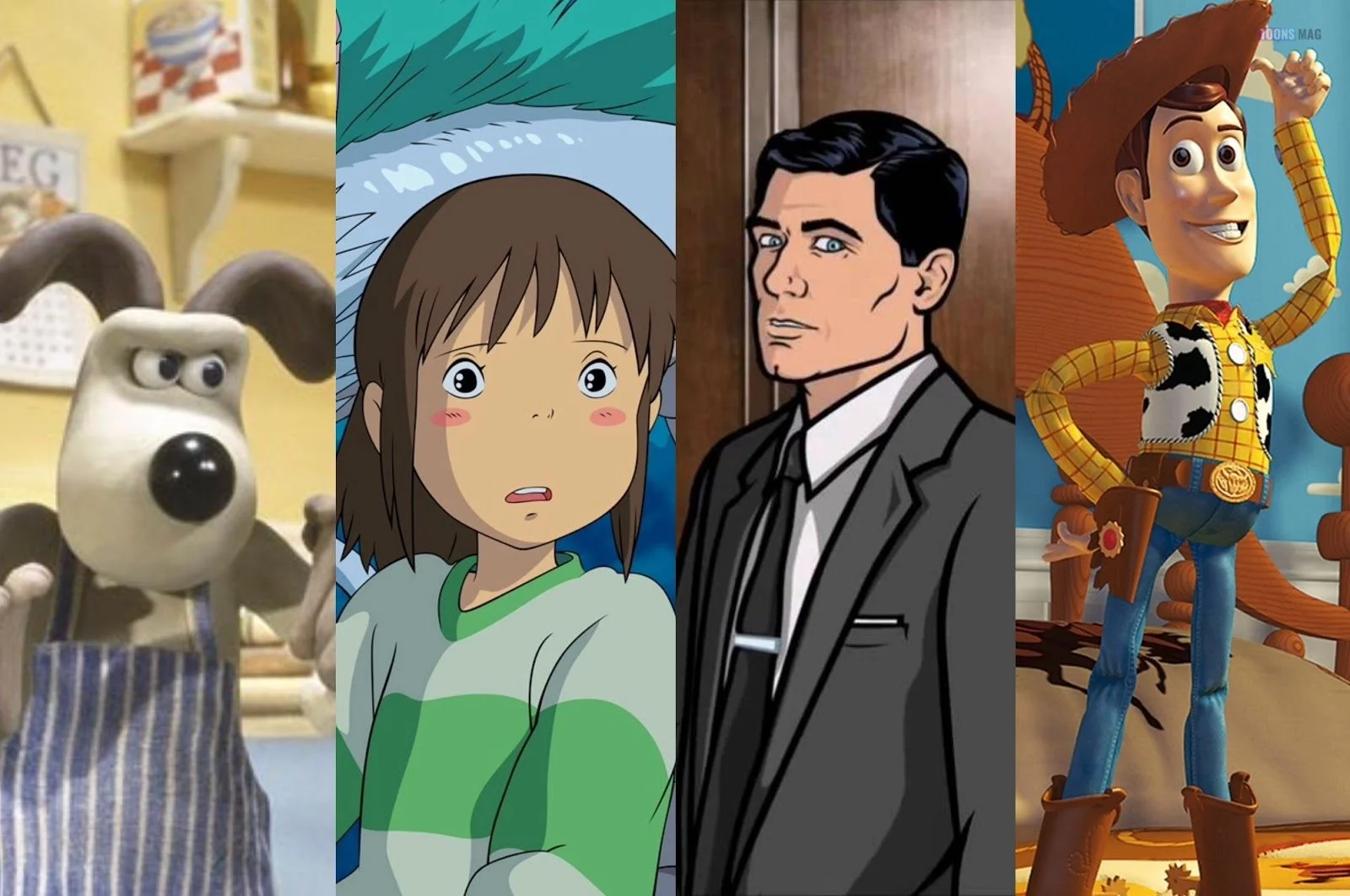
Key Differences from 2D Animation
| Feature | Cartoon (2D) Animation | 3D Animation |
|---|---|---|
| Visual Style | Flat, stylized | Realistic or stylized 3D |
| Creation | Drawing frames by hand | Modeling and animating digital puppets |
| Software | Toon Boom, Pencil2D, Procreate | Blender, Maya, Cinema 4D |
| Time Efficiency | Labor-intensive for movement | Labor-intensive for setup, faster for repetition |
| Skill Focus | Drawing, timing | Modeling, rigging, lighting, camera |
Essential Stages of 3D Animation
- Modeling
- Creating a 3D mesh of your character or environment.
- Rigging
- Adding a virtual skeleton so you can animate body parts.
- Texturing
- Painting the surface of your model to give it color and realism.
- Animation
- Moving the model through space over time using keyframes.
- Lighting
- Adding virtual lights to create mood and visibility.
- Rendering
- Converting your scene into a final image or video sequence.
- Compositing
- Merging all elements (backgrounds, effects, characters) into one cohesive video.
Tools for 3D Animation Beginners
- Blender (FREE): Powerful open-source software for modeling, animation, and rendering.
- Autodesk Maya: Industry-leading (and expensive) software, free for students.
- Cinema 4D: Popular in motion graphics and VFX.
- Mixamo: Adobe’s online tool for rigging and animating characters automatically.
How to Choose Between Cartoon and 3D Animation
Choosing your animation style depends on your goals, strengths, and resources.
- If you love drawing, stylized characters, and storytelling: Start with cartoon (2D) animation.
- If you’re more into technology, games, and realism: Explore 3D animation.
- If you’re creating web content, mobile games, or YouTube shorts, 2D might be faster.
- If you’re dreaming of Pixar-level storytelling or game design, 3D offers more power.
Tip: Many modern animations mix both. Shows like The Amazing World of Gumball or Arcane integrate 2D and 3D to great effect.

Learning Paths and Resources
Online Courses
- Coursera: CalArts offers a great “Character Animation” course.
- Udemy: Beginner-friendly courses in Blender and 2D animation.
- Skillshare: Tutorials in motion design, cartooning, and animation.
YouTube Channels
- Alan Becker: Teaches principles using stick figure animation.
- Blender Guru: Amazing tutorials on 3D animation and rendering.
- Bloop Animation: Covers both 2D and 3D with production insights.
How Toons Mag & Cartoonist Network Help Beginners
Both Toons Mag and the Cartoonist Network are invaluable platforms for aspiring animators and illustrators:
- Toons Mag allows you to publish comics, animations, and character designs globally.
- Cartoonist Network gives you a portfolio page, community interaction, and monetization tools for your digital art and animations.
Participating in cartoon contests, uploading short animations, and getting feedback from other artists helps you grow and refine your style.
Challenges You’ll Face—and How to Beat Them
- Overwhelm
- Start small. Animate a bouncing ball or blinking eye.
- Perfectionism
- Focus on completion, not perfection. Animation improves through practice.
- Time Constraints
- Break projects into manageable stages (storyboard, rough, final).
- Budget
- Use free tools like Blender, Krita, and Pencil2D. Many pros started there.
- Creative Block
- Remix classic tales. Draw your version of Little Red Riding Hood in space or a cartooned version of political satire for Toons Mag.
Final Thoughts: Just Start Drawing (or Modeling)
Whether you’re sketching your first character flipbook or animating a walking cycle in Blender, what matters most is that you start. Animation is both an art and a craft—one that requires persistence, observation, and play.
Cartoon animation teaches storytelling through exaggeration and timing. 3D animation teaches spatial thinking and movement in a digital world. Both are valid, vibrant, and powerful ways to tell your story.
So pick up your pen or mouse. Join communities like Toons Mag. Upload your work to the Cartoonist Network. And start animating your ideas into motion.
Guide to Cartoon Animations and 3D Animations Video
This post was created with our nice and easy submission form. Create your post!






One Comment